Loveline: Modern Calligraphy That Feels Like Natural Handwriting
In a digital world dominated by clean sans-serifs and geometric typefaces, there is a growing hunger for something more human. We crave letters that breathe, that curve with personality, and that carry the warmth of a hand-drawn stroke. For designers, business owners, and creators alike, finding a font that strikes the perfect balance between polished design and authentic expression can feel like a treasure hunt. Enter Loveline — a stunning modern calligraphy typeface that brings the intimacy of handwriting into your digital toolkit. Whether you are drafting a wedding invitation, building a brand identity, or adding a personal touch to your social media posts, Loveline offers a natural fluidity that elevates any project without sacrificing readability.
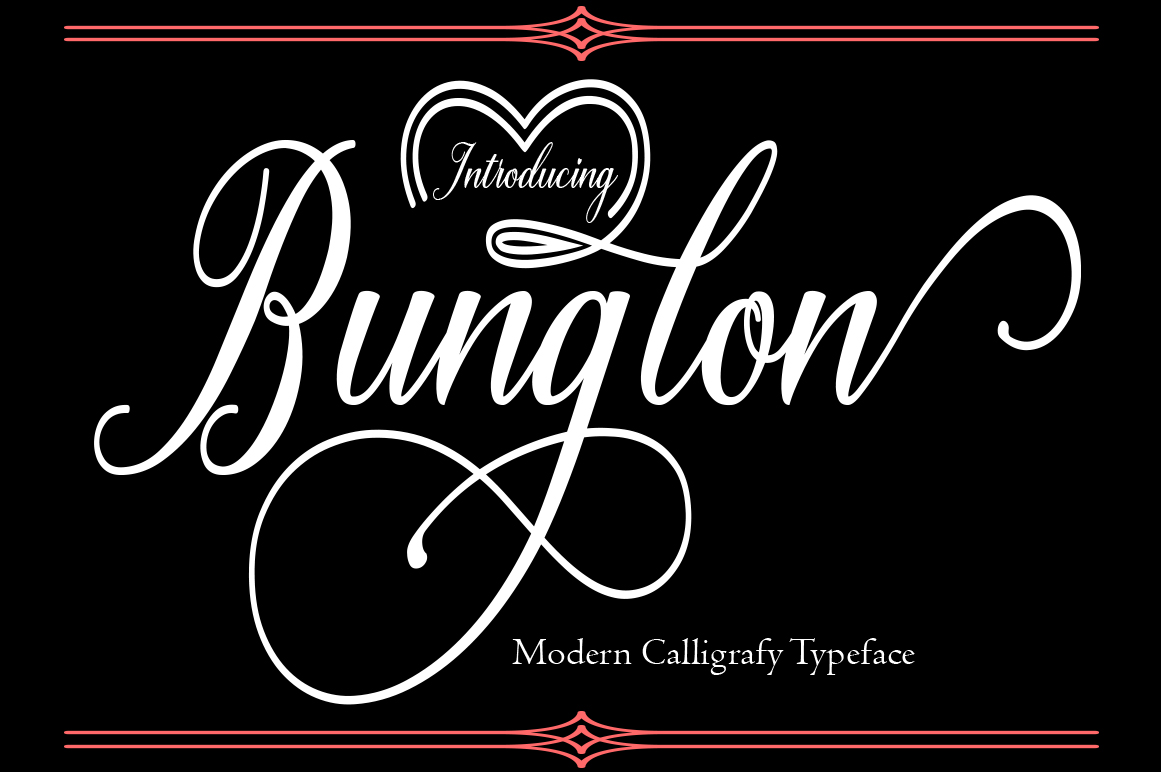
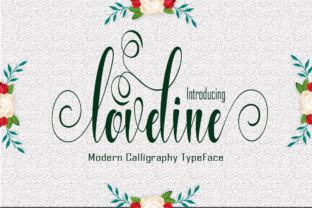
What sets Loveline apart is not just its graceful letterforms, but the thoughtful design philosophy behind it. Every character is crafted to emulate the natural motion of a pen on paper, resulting in a calligraphy style that feels both contemporary and effortlessly organic. The font avoids the stiff, overly uniform look that plagues many digital calligraphy fonts. Instead, variations in stroke weight, subtle slants, and gentle connections between letters create a rhythm that mirrors real handwriting. This makes Loveline not just a typeface, but an experience — one that invites the viewer to pause and appreciate the art of written communication.
The Design Philosophy Behind Loveline
At its core, Loveline is built on the principle that calligraphy should feel alive. The typeface draws inspiration from traditional brush lettering and modern script styles, but it strips away the formality that often makes calligraphy feel out of reach. Instead, Loveline embraces imperfection as a feature, not a flaw. The characters are designed with a natural bounce — some letters sit slightly higher or lower than their neighbors, just as they would in hand-written text. This organic alignment adds a layer of authenticity that resonates with audiences who are tired of sterile design.
The font includes a complete set of uppercase and lowercase letters, numbers, punctuation, and multilingual support, making it versatile enough for international projects. But the real magic lies in the subtle details: the gentle upward flick on a lowercase “l,” the open loop of an “e,” and the elegant swashes that finish off certain characters. These nuances are what give Loveline its character. It is calligraphy that does not try to be perfect — it tries to be beautiful in a genuine way.
One of the most impressive aspects of Loveline is its consistency in naturalness. Many handwriting-style fonts either look too chaotic or too mechanical. Loveline strikes a rare middle ground: it is legible enough for body text in moderation, yet expressive enough for headlines and display use. The letters flow together smoothly without awkward gaps, and the spacing feels intuitive. This is no accident — the designer deliberately studied handwriting patterns to ensure that each character connects with its neighbors in a way that feels familiar to the eye.
Where Loveline Shines in Real-World Projects
Understanding a font’s personality is one thing, but knowing where to apply it effectively is another. Loveline is remarkably versatile, yet it performs best in contexts that benefit from a personal, elegant, or artistic touch. Here are some scenarios where this calligraphy font truly stands out.
For Creators and Designers
If you are a graphic designer or illustrator, Loveline can become a go-to asset for projects that require a handmade feel without the hassle of hand-lettering each time. For example, using Loveline in a wedding invitation suite immediately conveys romance and sophistication. Paired with a simple sans-serif for the body text, the calligraphy headers draw the eye and set the tone. Similarly, in logo design, a brand that wants to communicate creativity, craftsmanship, or personal attention — such as a bakery, a florist, or a boutique studio — can use Loveline to express that warmth with ease. The font’s natural variation means that even repeated use in a logo feels fresh, not repetitive.
Social media graphics also benefit from Loveline’s charm. An inspirational quote over a soft background photo becomes instantly more engaging when set in this flowing script. Designers often report that using Loveline reduces the time spent adjusting kerning or tweaking glyphs because the font already handles spacing gracefully. For digital artists working on Procreate or Photoshop, Loveline layers beautifully with watercolor textures and brush strokes, reinforcing the handcrafted aesthetic.
For Business Owners and Marketers
Small business owners and entrepreneurs frequently struggle to differentiate themselves in crowded markets. A font like Loveline can be a subtle yet powerful differentiator. Imagine a coffee shop’s menu board: the headings in Loveline evoke the chalk art of a local café, inviting customers to feel at home. Or consider an online store selling handmade jewelry — product descriptions paired with a splash of Loveline in the banner create a cohesive, artisanal identity. Even email newsletters become less corporate when a calligraphy header opens the message. The key is to use Loveline sparingly as an accent font rather than for large blocks of text, preserving its impact.
Marketing materials like flyers, postcards, and brochures also gain a personal edge. Because Loveline mimics handwriting, it triggers an emotional response — readers subconsciously associate it with a genuine human touch. In a world of automated templated designs, that emotional connection can lead to higher engagement and brand recall.
What Makes Loveline Different from Other Calligraphy Fonts?
The market for calligraphy fonts is saturated, so what justifies choosing Loveline over alternatives? The answer lies in its modern yet natural form. While many calligraphy fonts lean heavily into elaborate swashes and flourishes that can overwhelm a design, Loveline keeps the embellishments restrained. The strokes are confident but not flashy. This makes it suitable for both formal and casual contexts — it can dress up a minimalist layout without clashing, or soften a bold design without feeling out of place.
Another distinction is the sheer variety of stylistic alternates and ligatures included. For designers who want to avoid repetitive letterforms, Loveline offers multiple versions of certain letters, allowing for a more organic look. When combined, these alternates create a text that appears truly handwritten, with no two “a”s or “e”s exactly alike. This level of detail is rare in free or budget fonts, making Loveline a valuable investment for professionals who care about typographic quality.
Loveline also handles well at different sizes. At larger display sizes (36pt and above), the subtle stroke variations become more pronounced, showcasing the calligraphic artistry. At smaller sizes (14pt–18pt), the font remains surprisingly legible, especially when used for short sentences or pull quotes. That flexibility is a hallmark of well-designed script fonts.
Practical Considerations When Using Loveline
No font is perfect for every situation, and being aware of Loveline’s limitations will help you use it effectively. Like most calligraphy fonts, it is not ideal for long passages of body text. Extended reading in script can cause eye fatigue, and the natural variation may reduce readability. Use Loveline for headlines, subheadings, short paragraphs, and accent elements. For large amounts of text, pair it with a clean sans-serif (like Montserrat, Open Sans, or Lato) to maintain readability while preserving the visual interest.
Another consideration is spacing. While Loveline has excellent default kerning, you may still need to adjust tracking in certain situations — particularly when using all caps or when combining with other fonts. Always preview your layout at different sizes and on different devices. Also, be mindful of the medium. On screen, especially on smaller mobile screens, very small script can become blurry or hard to read. Reserve Loveline for larger headings on mobile, and use it more freely on desktop or in print.
File format availability matters too. Loveline is typically provided as OTF and TTF, which work across Mac, Windows, and most design software. If you plan to use it on the web, consider using a web font service or self-hosting with @font-face. Check licensing for commercial use — many premium calligraphy fonts require a separate license for branding or merchandise, so verify that your usage is covered.
How to Evaluate If Loveline Is Right for Your Project
Before committing to Loveline, take a step back and consider the tone you want to convey. Does your project need a friendly, approachable feel? Loveline’s natural handwriting quality is perfect for that. Or are you aiming for modern elegance? The restrained swashes and graceful curves support that too. But if you need a strictly formal or rigid look — such as for legal documents or corporate reports — a script font would be out of place.
To test, create a simple mood board with Loveline samples at different sizes and pair it with potential companion fonts. Print a mockup if possible. Ask colleagues or a small sample audience for their first impression. Often, the emotional reaction to a font is immediate: if it makes people say “that feels personal” or “that looks handmade,” you have a winner.
From a practical standpoint, check the glyph coverage. Does Loveline include the characters you need (accents, currency symbols, ligatures)? If your project requires multilingual support, confirm that the font covers your target languages. Also, consider the weight — some calligraphy fonts come in multiple weights, but Loveline is often offered as a single regular style. That is usually sufficient for accent use, but if you need a light or bold variant, you may need to adjust your design approach (e.g., using color or size to create hierarchy).
Bringing Natural Calligraphy into Your Creative Workflow
Integrating Loveline into your workflow is straightforward. Most designers start by downloading the font and installing it on their system. From there, it works seamlessly in Adobe Creative Suite, Affinity, Canva, and even word processors like Word or Google Docs for quick projects. For advanced users, exploring the OpenType features in software like Illustrator or InDesign unlocks the alternates and ligatures, giving you control over the handwritten look. You can even manually choose which alternate characters to use in specific words to maximize the natural effect.
Once you start using Loveline, you will likely discover new applications you had not considered. For example, using it in video titles or lower-thirds adds an artisanal flavor to explainer videos. In product packaging, a short Loveline phrase on a label can make the product feel like a limited edition. Even in personal projects — like a custom wedding website or a thank-you card — Loveline brings a sense of care and intention that mass-produced fonts lack.
The beauty of Loveline is that it does not try to imitate perfect computer-generated calligraphy. It embraces the messy, lively, human side of writing. That is exactly what makes it so effective in connecting with audiences. In an era of digital uniformity, a font that looks like it was written with love stands out.
If you are ready to add a touch of natural elegance to your work, Loveline is stunning modern calligraphy, designed to emulate handwriting. With its modern and unique forms of calligraphy, the writing style feels very natural, yet it is versatile enough for everything from branding to invitations. Download Loveline, a beautiful font, today, and start creating designs that feel genuinely personal.